

Minecraft building

What is Litematica for Minecraft builders?

If you’re asking what is litematica, it’s a Minecraft Java Edition mod that displays a schematic as a translucent guide in your world. You still place the blocks yourself; the guide helps you see where they belong.

Block-based Minecraft build artwork

One-line definition

5 min read

Litematica is a client-side building aid for following saved Minecraft structures, not a tool that builds them automatically.

How it works

The basic workflow separates the design you want to follow from the blocks you place in the world.

  1. 1

    Load a schematic

    Start with a saved structure in a format your installed version supports. Litematica reads its block layout so you can use the structure as a building reference.

  2. 2

    Position the placement

    Move or rotate the projected build until it lines up with your chosen location. Check its boundaries before collecting materials or laying the foundation.

  3. 3

    Build against the guide

    Follow the projected blocks layer by layer. Placement feedback can help reveal missing or incorrect blocks, but you must still gather and place the materials.

Can / cannot do

The distinction is between showing a build plan and carrying out the build for you.

Illustration of a block-built Minecraft scene Can do
01

See the structure before placing it

Litematica can display a saved structure as a translucent projection in your world. That makes it easier to judge the footprint, follow complicated shapes and work through a large build in sections. You can reposition the placement when the design needs to face another direction.

  • Use the projection as a spatial reference.
  • Inspect a design before committing materials.
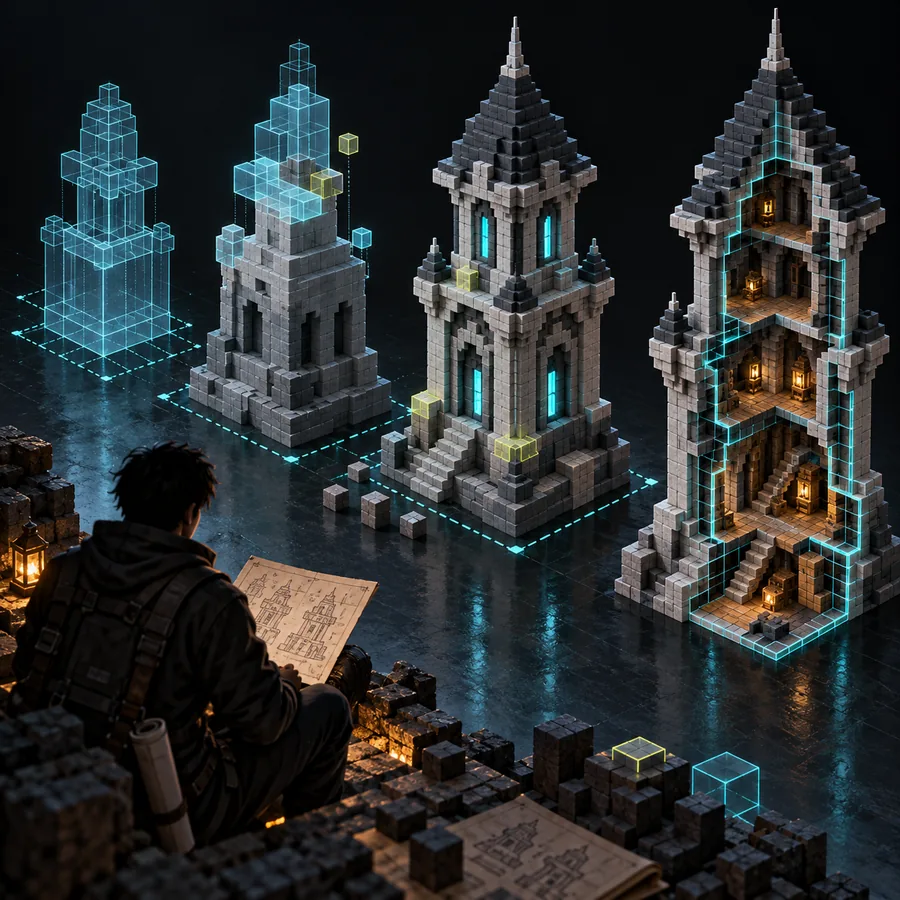
Illustration of a Minecraft-style block structure Cannot do
02

Know what the projection does not do

A projected block is not a placed block. Litematica does not, by itself, supply your materials, guarantee a design fits your terrain or make a schematic from any arbitrary 3D model. Commands and separate tools may have different capabilities, so do not confuse those workflows with ordinary guided building.

  • A schematic guide does not automatically complete your build.
  • Check format and version compatibility before loading a file.

Related Minecraft build workflows

These guides cover using the mod, comparing building aids and preparing a compatible schematic file.

Who uses it

Litematica is useful to builders who want to reproduce a planned structure accurately while doing the in-world construction themselves.

You must have

Without every one of these the route does not run.

  • Minecraft Java Edition with a mod-compatible game version.

    Litematica is a Java Edition mod; do not assume it works in Bedrock Edition.

  • A compatible mod loader and the dependencies required by your chosen Litematica release.

    Check the release instructions rather than mixing files from different game versions.

  • A schematic file that your installed release can read.

    The file is the build plan that Litematica will display.

Nice to have

Skip any of these and the route still works — they only make it faster.

  • A test area for checking scale, orientation and terrain fit.

    Helpful when following a large design or sharing a build with others.

Explore a Minecraft build idea

Start with a design you want to build

Litematica helps you follow an existing schematic. If you are still exploring a Minecraft build concept, visit the linked creation tool to see its current options, then check any resulting design and file format against the workflow you plan to use.

Explore Minecraft creation
  • Decide what you want to build.
  • Check the resulting format before planning a Litematica placement.

Litematica FAQ

Litematica is a Minecraft Java Edition mod. A schematic is a saved structure that the mod can display as a guide; the mod and the file are not the same thing.

Its ordinary building workflow shows where blocks should go rather than placing every block for you. You remain responsible for getting materials and constructing the design in your world.

Litematica is made for Minecraft Java Edition, so you should not expect to install it as a Bedrock add-on. Bedrock builders need a workflow designed for that edition.

You need a saved structure to project a build you want to follow. Litematica can also be used to work with selections and saved builds, but an empty installation does not provide the design for a specific project.

The file format may not be supported by your installed release, or the mod and game versions may not match. Check the file type and the release instructions before assuming the structure itself is broken.

Start creating
Start creating