WorldEdit builder
The imported structure faces the wrong way or appears far larger than expected.
Check rotation and block dimensions before placing the full build. For the broader file workflow, see
3d to minecraft schematicFormat guide
A glb to minecraft schematic workflow has two distinct jobs: turning a mesh into blocks, then saving those blocks in a format your Minecraft editor accepts. A GLB file cannot simply be renamed as a schematic.

The destination format depends on where you plan to inspect or place the build.
WorldEdit and compatible editors commonly work with .schem files. Litematica uses .litematic files instead, so identify your editor before preparing an export.
Pick a build scale and block palette. Thin surfaces, tiny details, and gaps may disappear when a GLB mesh is represented on a Minecraft block grid.
Open the resulting file with the intended editor and Minecraft version. Inspect orientation, dimensions, materials, and whether the build has a usable base.
These formats describe different things. A conversion workflow must create block positions; changing the filename does not do that work.
Main purpose
GLB source
Stores a 3D scene or asset
Minecraft schematic destination
Stores a Minecraft block arrangement
Geometry
GLB source
Meshes made from vertices and faces
Minecraft schematic destination
Blocks placed on a discrete grid
Appearance
GLB source
May contain materials and textures
Minecraft schematic destination
Uses Minecraft block states
Scale
GLB source
Uses scene units and transforms
Minecraft schematic destination
Uses block dimensions
Animation
GLB source
May contain animated elements
Minecraft schematic destination
Represents a static block build
Typical editor
GLB source
Blender or another 3D application
Minecraft schematic destination
WorldEdit or a compatible schematic editor
Key preparation
GLB source
Inspect orientation and visible geometry
Minecraft schematic destination
Verify block palette and version compatibility
Use a visual comparison to plan what should survive the move from a smooth asset to a grid-based structure.
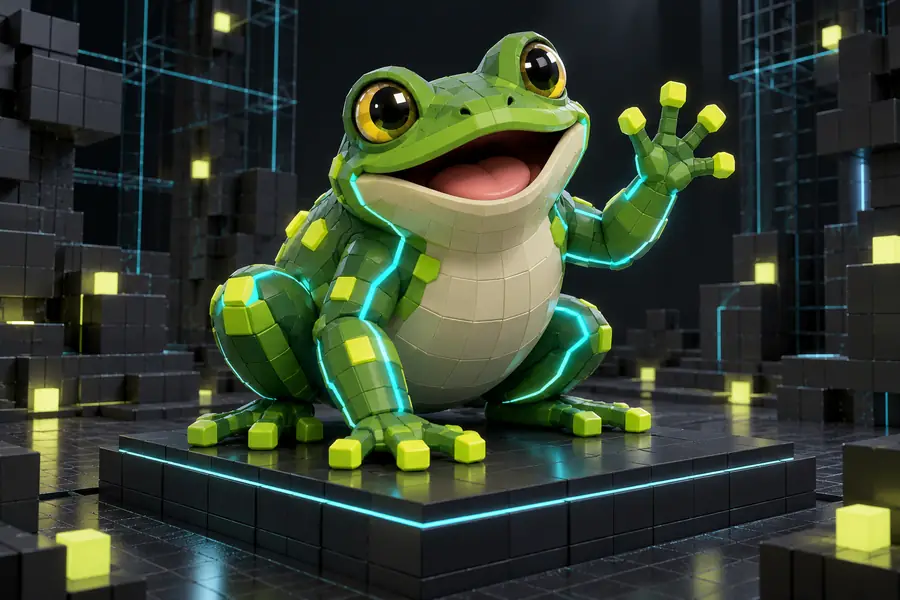
 Model concept
Block-build concept
Model concept
Block-build concept
Illustrative concepts, not a verified conversion of the pictured model. Before importing, check scale and orientation; afterward, inspect the block silhouette and base.
Model conceptBlock-build conceptA useful troubleshooting check depends on both the source asset and the editor that will open the result.
The imported structure faces the wrong way or appears far larger than expected.
Check rotation and block dimensions before placing the full build. For the broader file workflow, see
3d to minecraft schematicThin parts of a detailed mesh vanish when reduced to blocks.
Enlarge important features and review the silhouette at the intended scale. For model preparation, see
3d model to minecraftAn intermediate OBJ export loses material information or changes the asset's orientation.
Inspect the intermediate model before building a block palette. For that input route, see
obj to schematic minecraftA .schem file is mistaken for a .litematic file.
Confirm the file type your workflow expects rather than renaming the extension. For the separate format step, see
schem to litematicThe dates help explain why a portable 3D asset and a Minecraft editor file need an intermediate block-building step.
The specification establishes the format used by binary GLB assets, which can package scene data and resources into one file.
The Update Aquatic era introduces flattened block identifiers, making the target game's block vocabulary important when exchanging builds.
Its glTF import and export workflow gives artists a way to inspect GLB geometry before deciding which shapes are practical as blocks.
Version-aware checking remains relevant: an editor must recognize the block states stored in a schematic before the build is placed.
If your source file or destination editor differs, follow the guide for that particular handoff.
Describe the shape and scale you want, then check the destination tool's available file options. Do not assume a GLB upload or schematic export is supported until you verify it there.
Create build conceptNo. A GLB describes a 3D asset, while a schematic records Minecraft blocks and their positions. The mesh must first be translated into a block arrangement and saved in a format your editor supports.
Inspect its orientation, scale, visible geometry, and small details. Decide how many blocks wide the finished build should be, because fine features may not survive at a small scale.
Not as GLB textures or animation. A block build uses Minecraft block states for its appearance and represents a static structure, so plan a suitable block palette instead.
First check whether the editor expects .schem, another schematic variant, or .litematic. Then check the Minecraft version and whether the file contains block states that your setup recognizes.